> ## Documentation Index
> Fetch the complete documentation index at: https://plain-mattvagni-patch-1.mintlify.site/llms.txt
> Use this file to discover all available pages before exploring further.
# Receiving emails
To receive emails, you need to set up email forwarding from your company's support email address (e.g. `help@yourcompany.com`)
to your Plain workspace's inbound email address. Your workspace's inbound email address ends with `@inbound.postmark.app` and
can be found in under **Settings** → **Email**.
This assumes you use Google Workspace (formerly called Google Apps) to manage your domain's emails.
If your email provider is not Google, you can still set up email forwarding in different ways, such as with your domain registrar (e.g. [DNSimple](https://support.dnsimple.com/articles/email-forwarding/)) or your email provider (e.g. [Microsoft 365](https://learn.microsoft.com/en-us/microsoft-365/admin/email/configure-email-forwarding)).
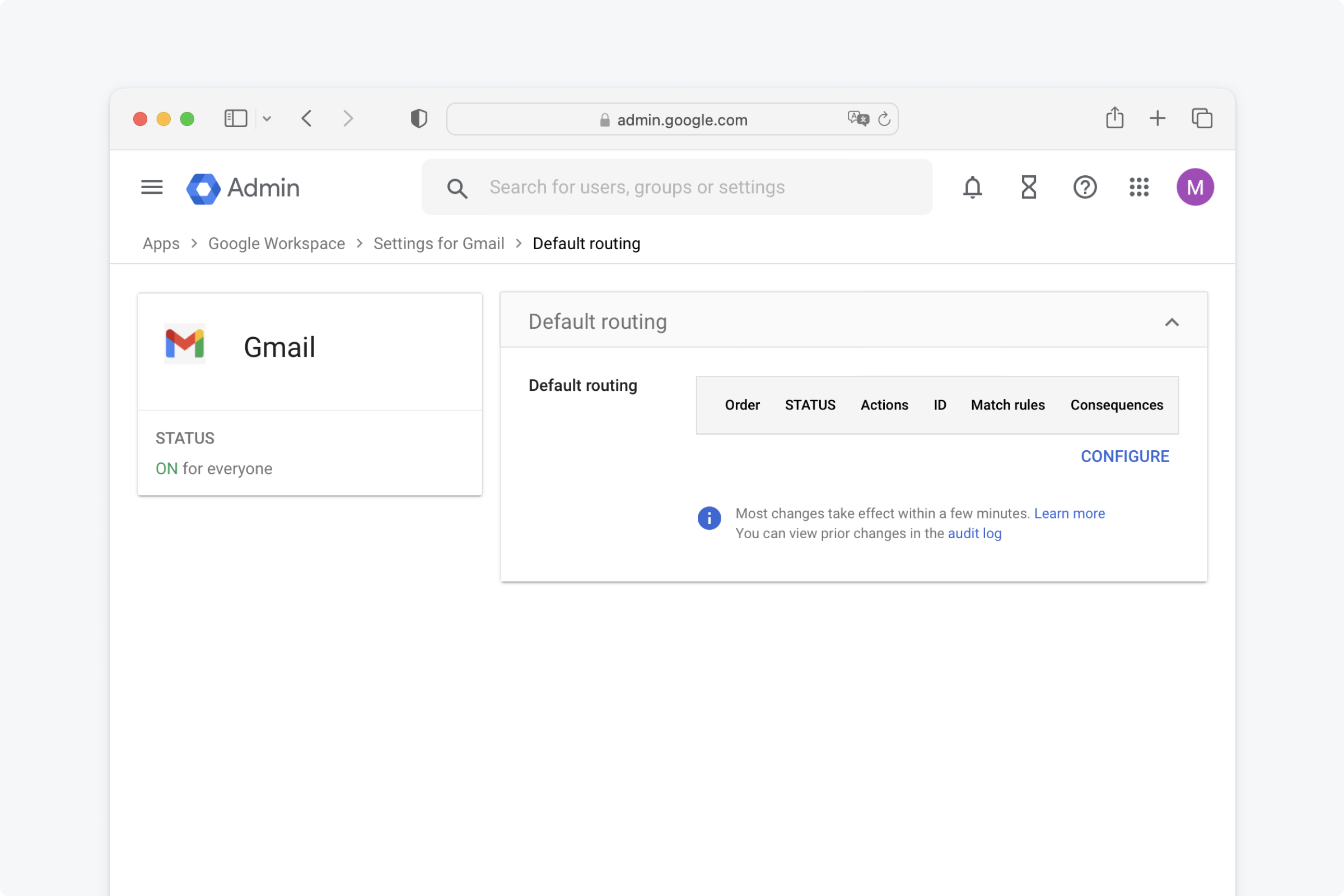
You can find this here: [https://admin.google.com/u/0/ac/apps/gmail/defaultrouting](https://admin.google.com/u/0/ac/apps/gmail/defaultrouting)
Under "Default routing" click on "CONFIGURE" or "ADD ANOTHER RULE"
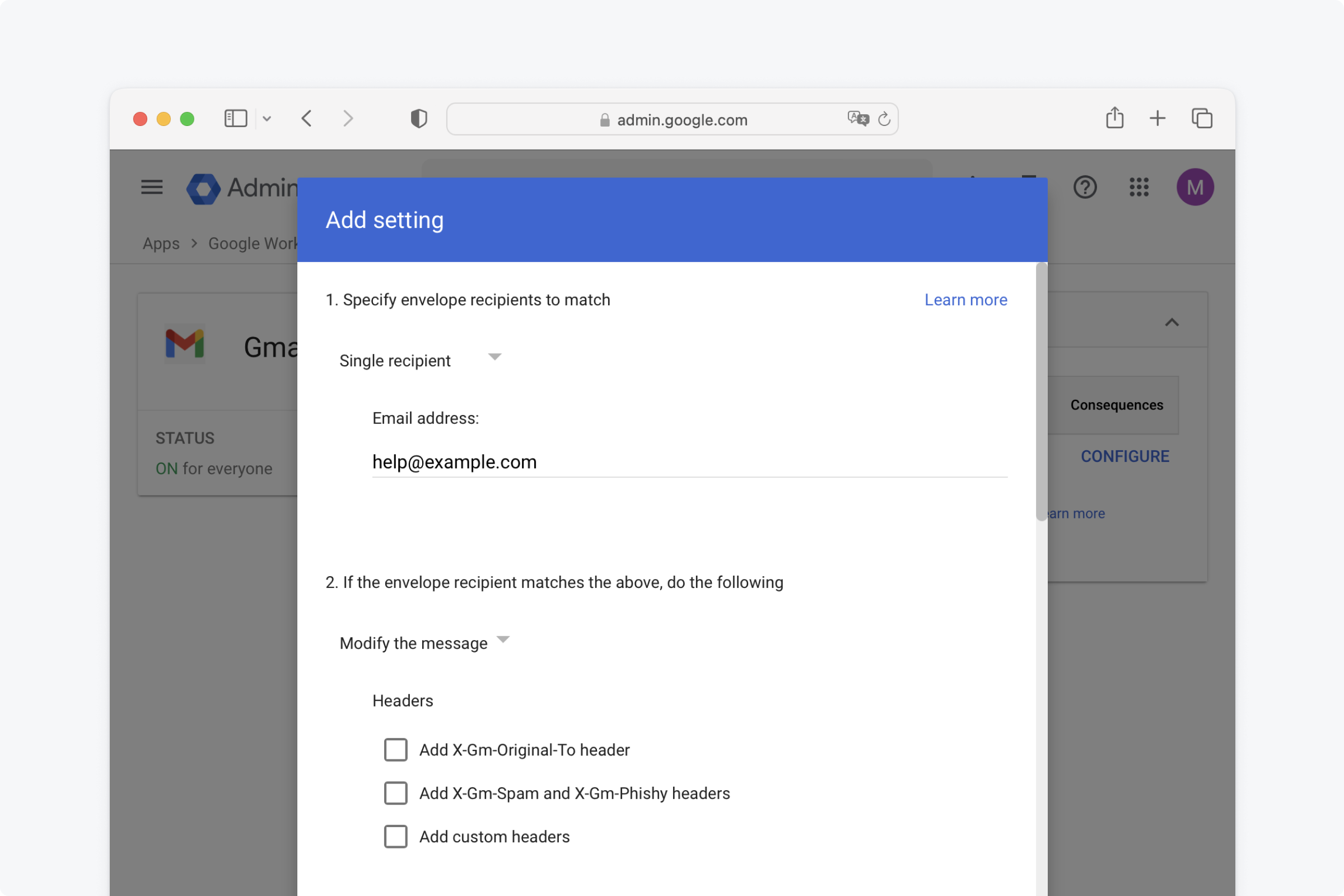
In the dropdown, select "Single recipient" and write your **support email address** under "Email address"
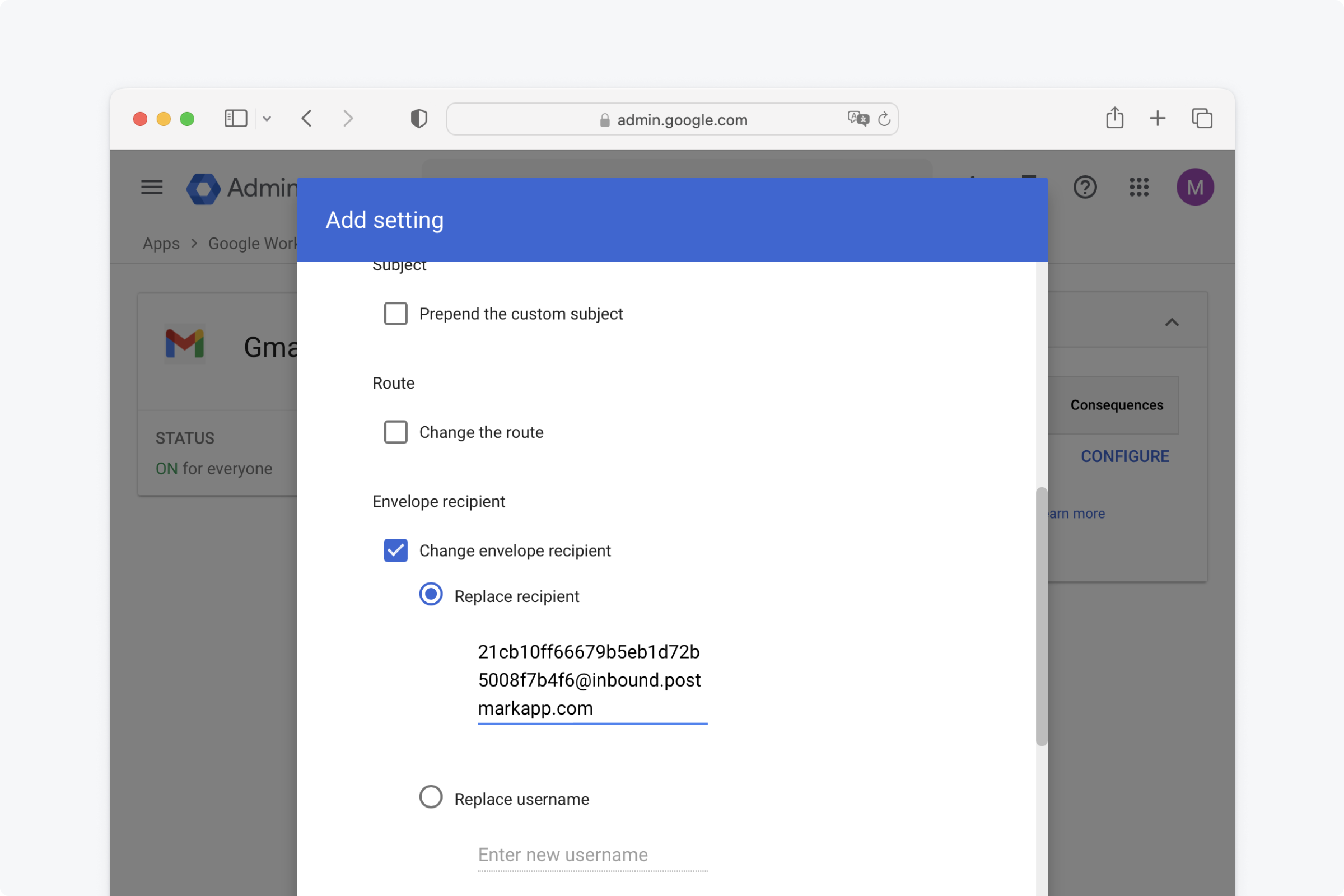
Choose "Replace recipient" and paste the inbound email address (`@inbound.postmarkapp.com`)
Scroll further down, and choose "Perform this action on non-recognised and recognised addresses"
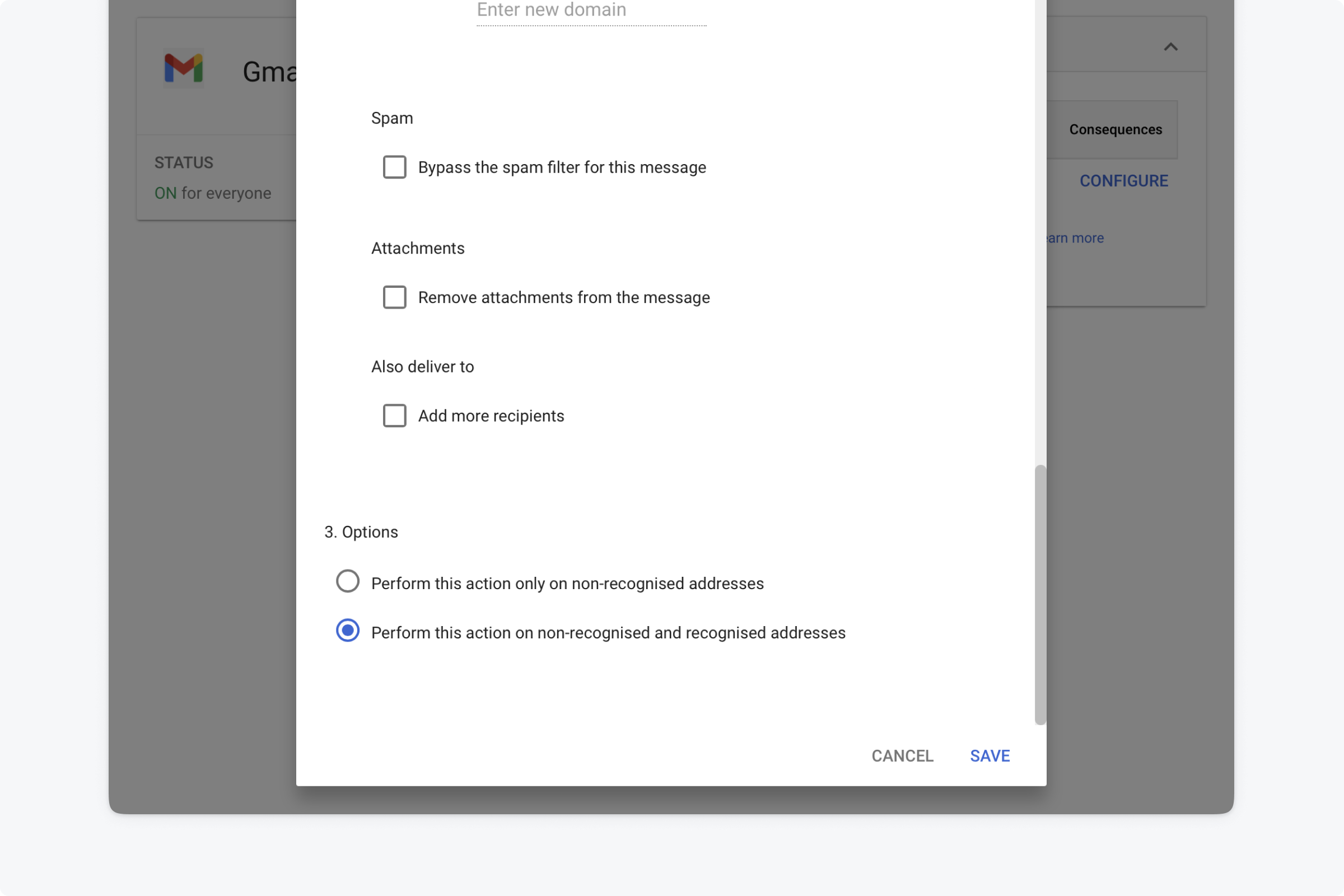
...and That's it! 💅
If you have existing email routing rules they can sometimes conflict with ones you add for Plain.
For optimal reliability always reorder the Plain ones to apply first.